You can view your assets either all together in one list or separated by asset type.
Follow the steps below depending on how you want to view them.
Option 1: View All Assets in One List
This will display every asset in your fleet in a single combined list.
To do this :
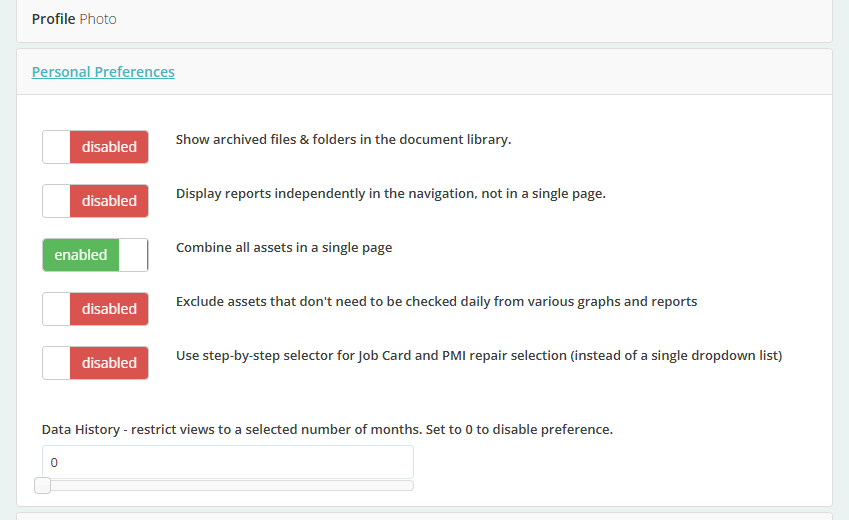
Go to your Profile (icon under your name on the dashboard) > Personal Preferences> Enable- Combine all assets in a single page
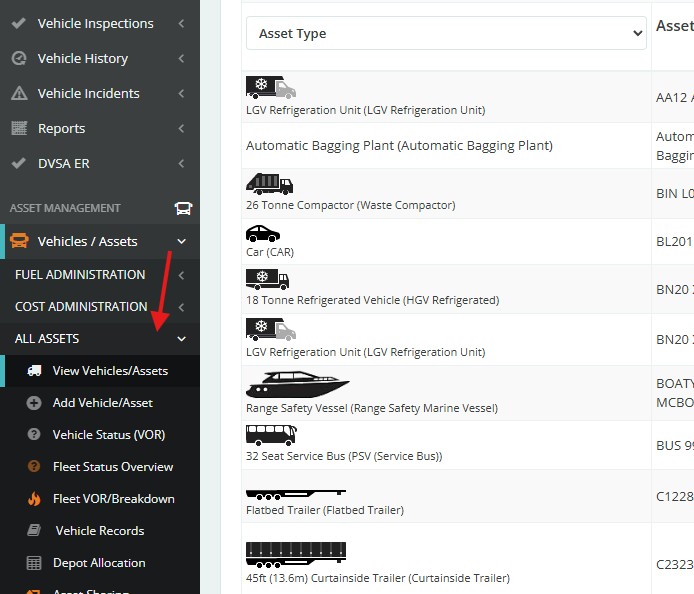
On your Dashboard go to Vehicle / Assets > ALL ASSETS
This view is useful when you want a quick overview of all assets in one place.
Option 2: View Asset Types Separately
This option allows you to view assets grouped by their specific type
To do this :
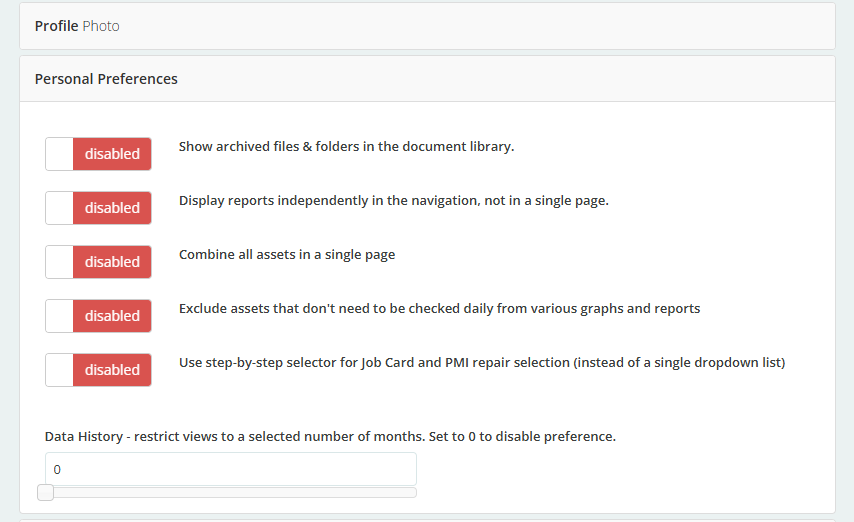
Go to your Profile (icon under your name on the dashboard) > Personal Preferences> Disabled- Combine all assets in a single page
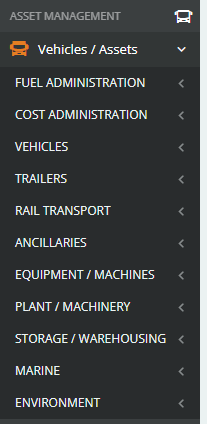
You will now see the Assets Types listed individually
Was this article helpful?
That’s Great!
Thank you for your feedback
Sorry! We couldn't be helpful
Thank you for your feedback
Feedback sent
We appreciate your effort and will try to fix the article