REPORTS > Reports Dashboard
USER/ASSET REPORTS
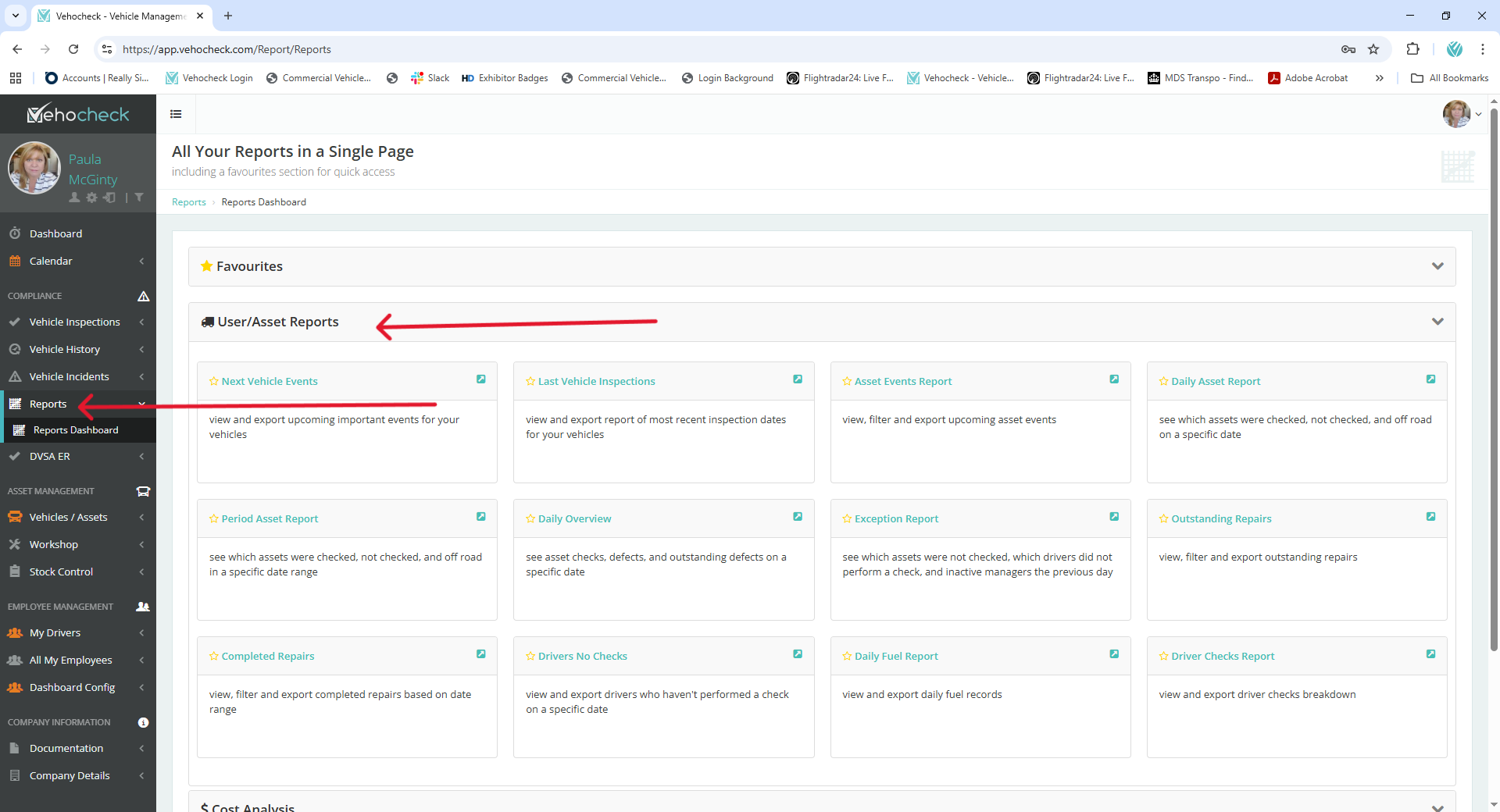
- Daily Overview: Gives a daily breakdown of defects recorded. This report can be emailed out automatically to system super users.
- Exception Reports: This report shows details of drivers and vehicles that have not been checked on a daily basis, this can also be emailed automatically to super users.
- Asset Events Report: View, filter and export upcoming asset events.
- Daily Asset Report: See which assets were checked, not checked, and off road on a specific date.
- Period Asset Report: See which assets were checked, not checked, and off road in a specific date range.
- Outstanding Repairs: View, filter and export outstanding repairs .
- Completed Repairs: View, filter and export completed repairs based on date range,
- Drivers No Checks: View and export drivers who haven't performed a check on a specific date.
- Daily Fuel Report: View and export daily fuel records.
- Driver Checks Report: View and export driver checks breakdown
COST ANALYSIS
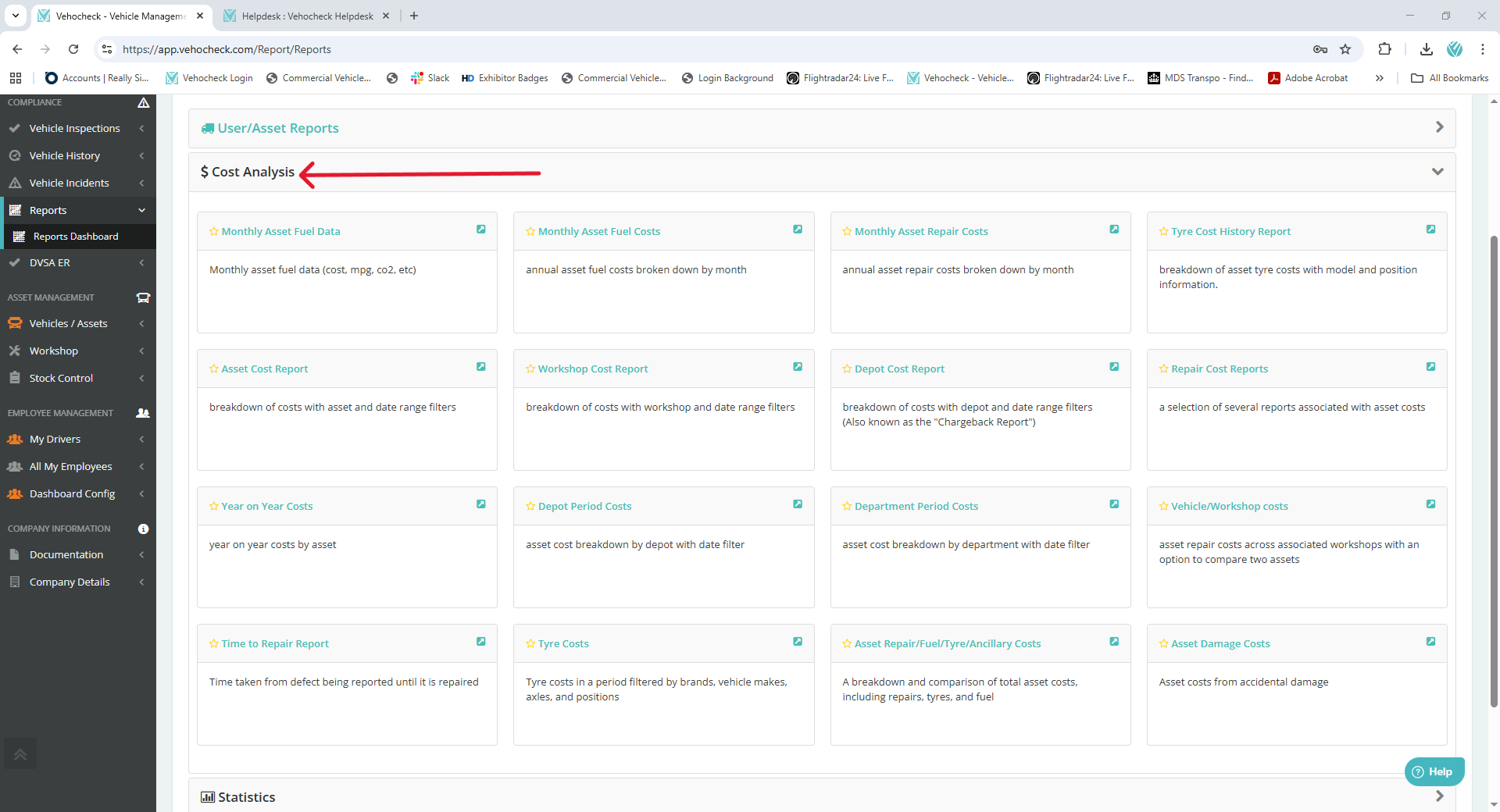
- Repair Cost analysis: By selecting a vehicle and date range from the drop down, graphs are displayed that show the cost of defect repairs at a particular workshop.
- Vehicle/Workshop Costs: This report lets you see how much as been spent on a vehicle and at which workshop.
- Monthly Asset Fuel Data: Monthly asset fuel data (cost, mpg, co2, etc).
- Monthly Asset Fuel Costs:
STATISTICS
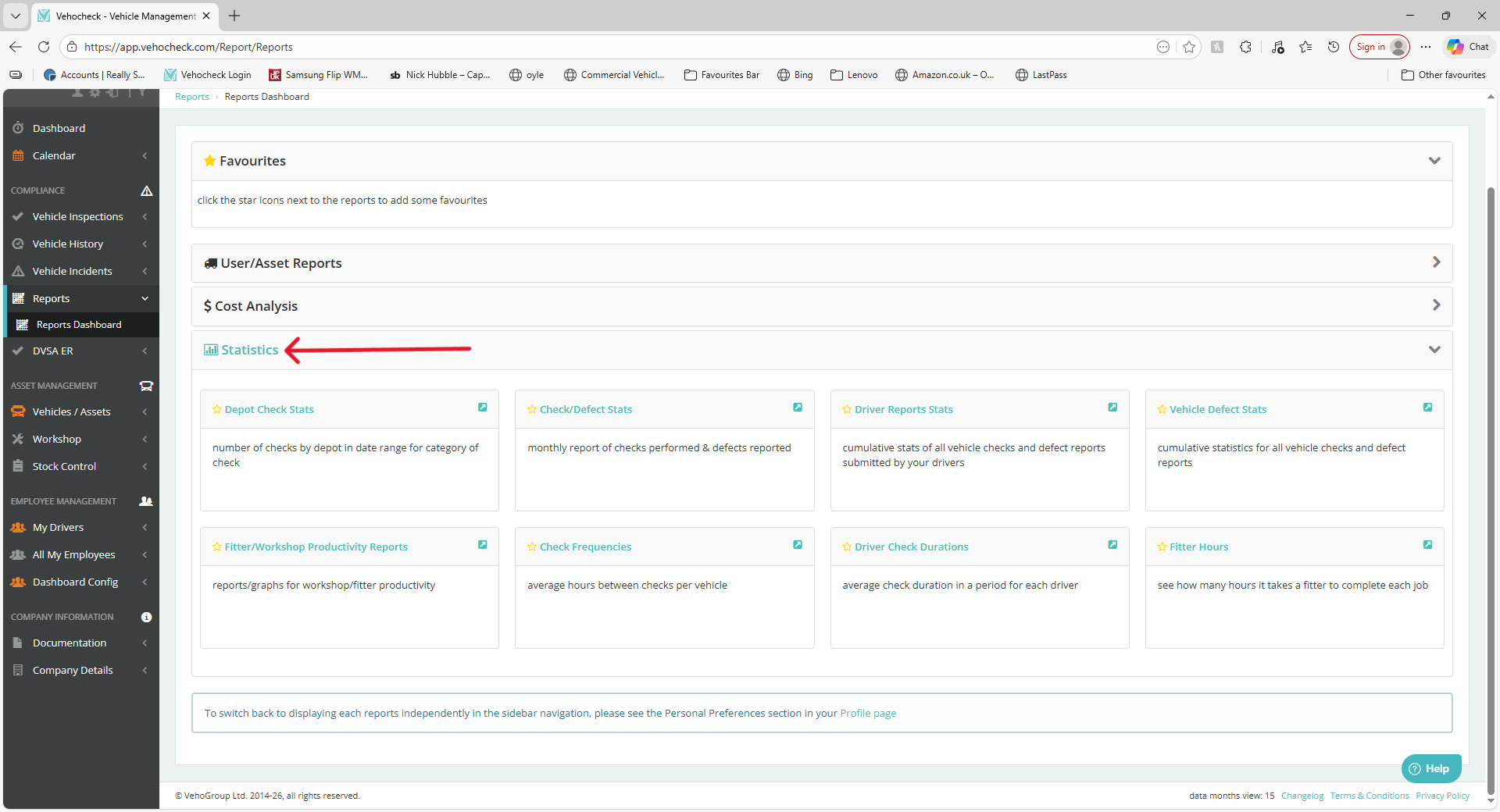
- Check/Defect Stats: This graph is a representation of checks performed against defect recorded on a monthly or daily basis
- Driver Report Stats: An overview of checks performed by drivers against defects recorded.
- Vehicle Repair Stats: This records checks performed against a vehicle and defect recorded.
- Vehicle Repair Cost: This graph shows what is costs have been occurred by workshop.
Was this article helpful?
That’s Great!
Thank you for your feedback
Sorry! We couldn't be helpful
Thank you for your feedback
Feedback sent
We appreciate your effort and will try to fix the article