Keeping track of your Company's Fuel usage is essential. Drivers can easily upload fuel through their mobile app, or you can import your weekly/monthly invoices directly from your fuel card provider. Once the information has been uploaded into Vehocheck you can pull a Report to show you Monthly Asset Fuel Data & Monthly Asset Fuel Costs
Drivers uploading Fuel/AdBlue from their App
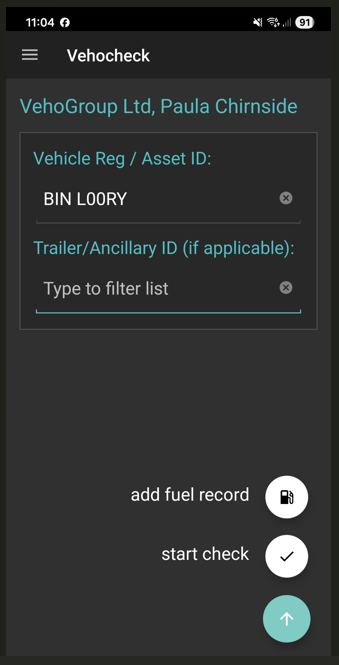
Choose the Fuel Product you would like to enter
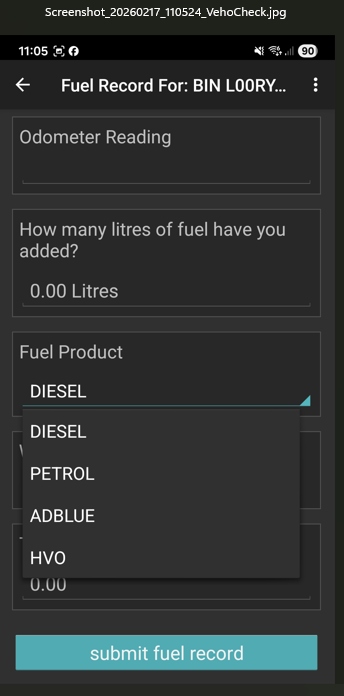
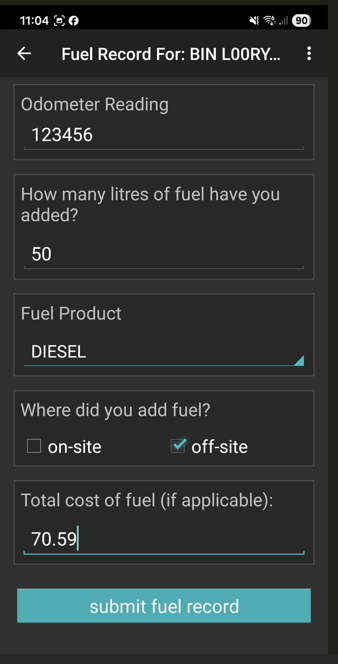
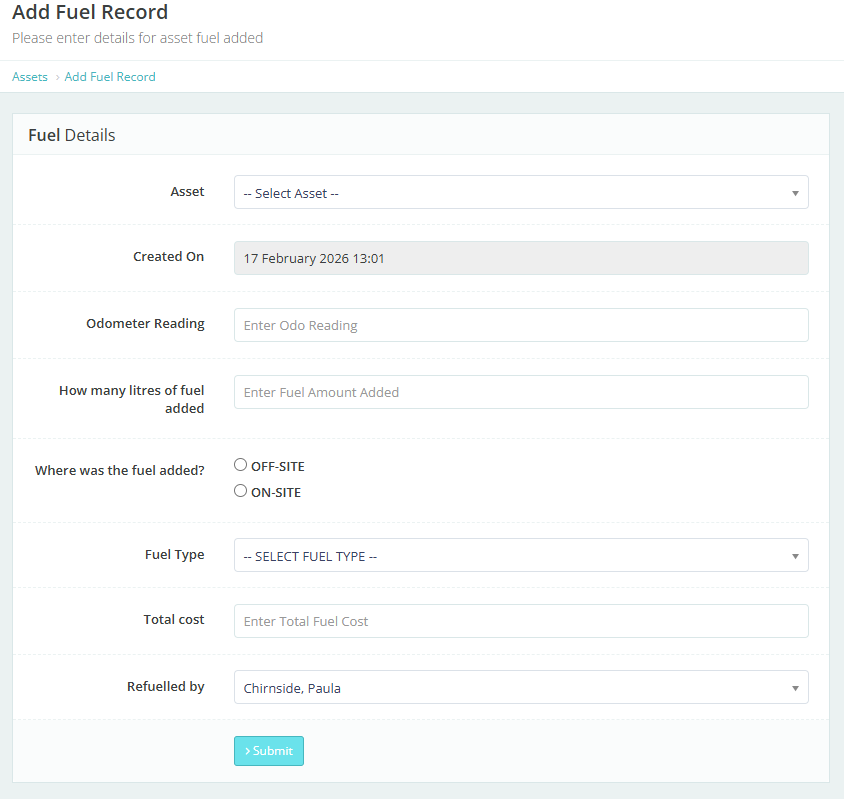
You can upload Fuel manually
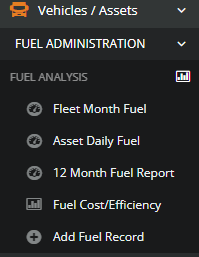
Vehicles/Assets > Fuel administration> Add Fuel Record
You can also upload your fuel cards through:-
We would ask you for 1 invoice from your supplier (ask them for your invoice to be in an excel document) we will format this so it is compatible with Vehocheck. You can have as many Fuel Card Suppliers as you wish. Once this has been formatted you will be ready to import.
Workshop >Importer> Fuel Importer
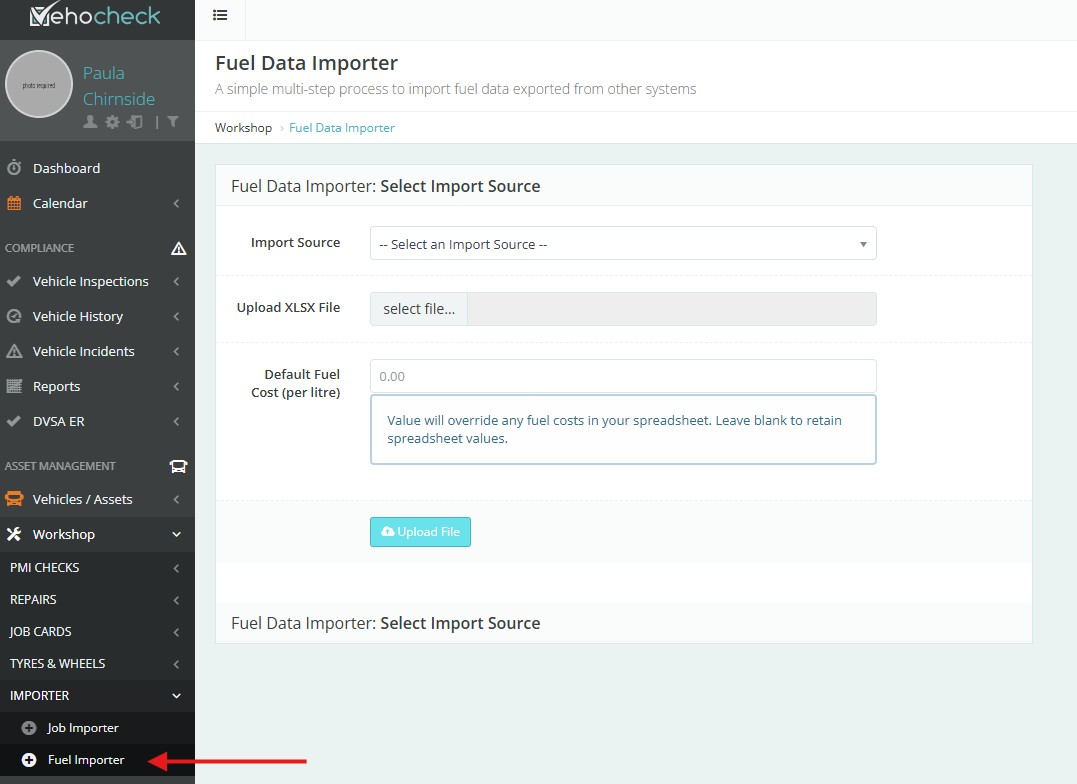
If you are using a number of Fuel Cards, you can choose which one you are uploading in the Import Source dropdown.
------------------------------------------------------------------------------------------------------------------------------------------
Fuel Administration - You will find this in Vehicles/Assets
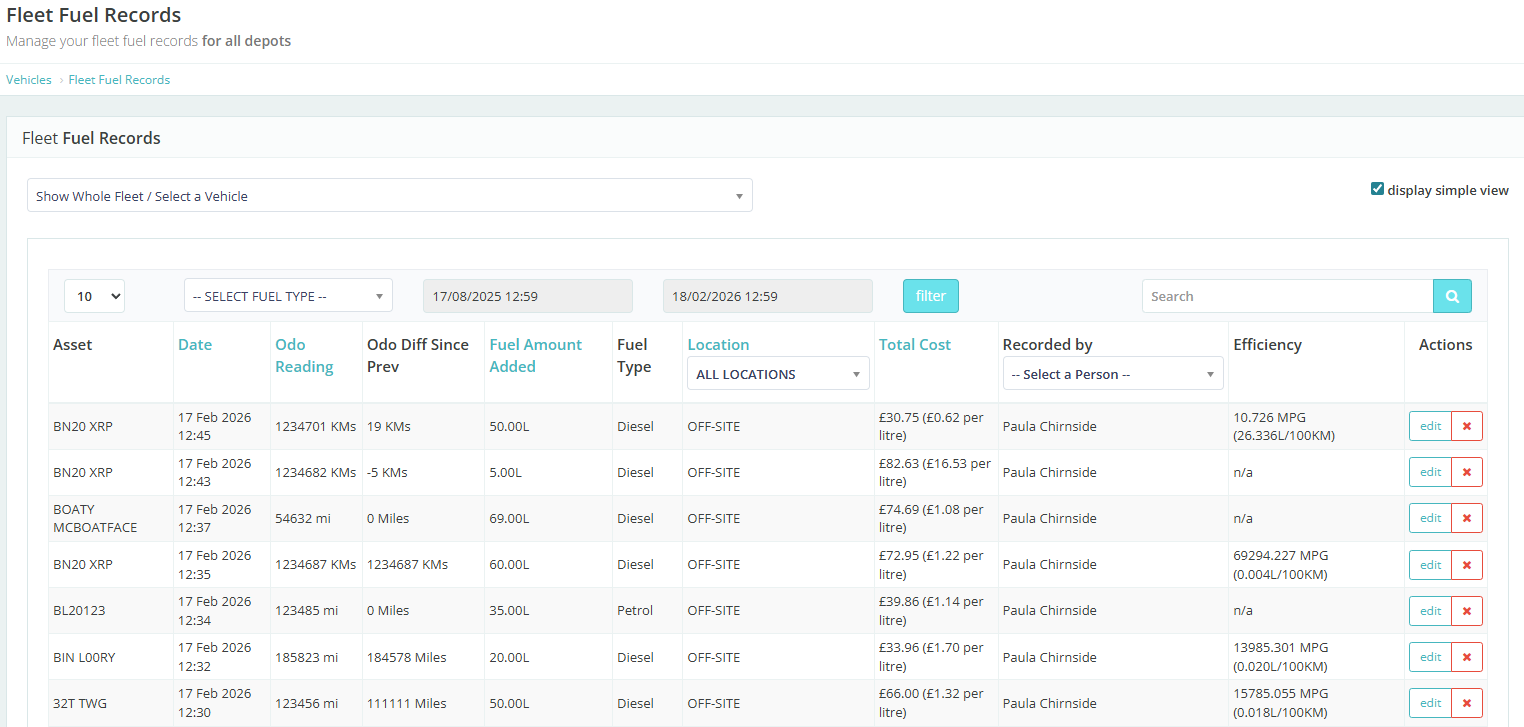
Asset Daily Fuel > you can filter by Fuel Type -Date
------------------------------------------------------------------------------------------------------------------------------------------
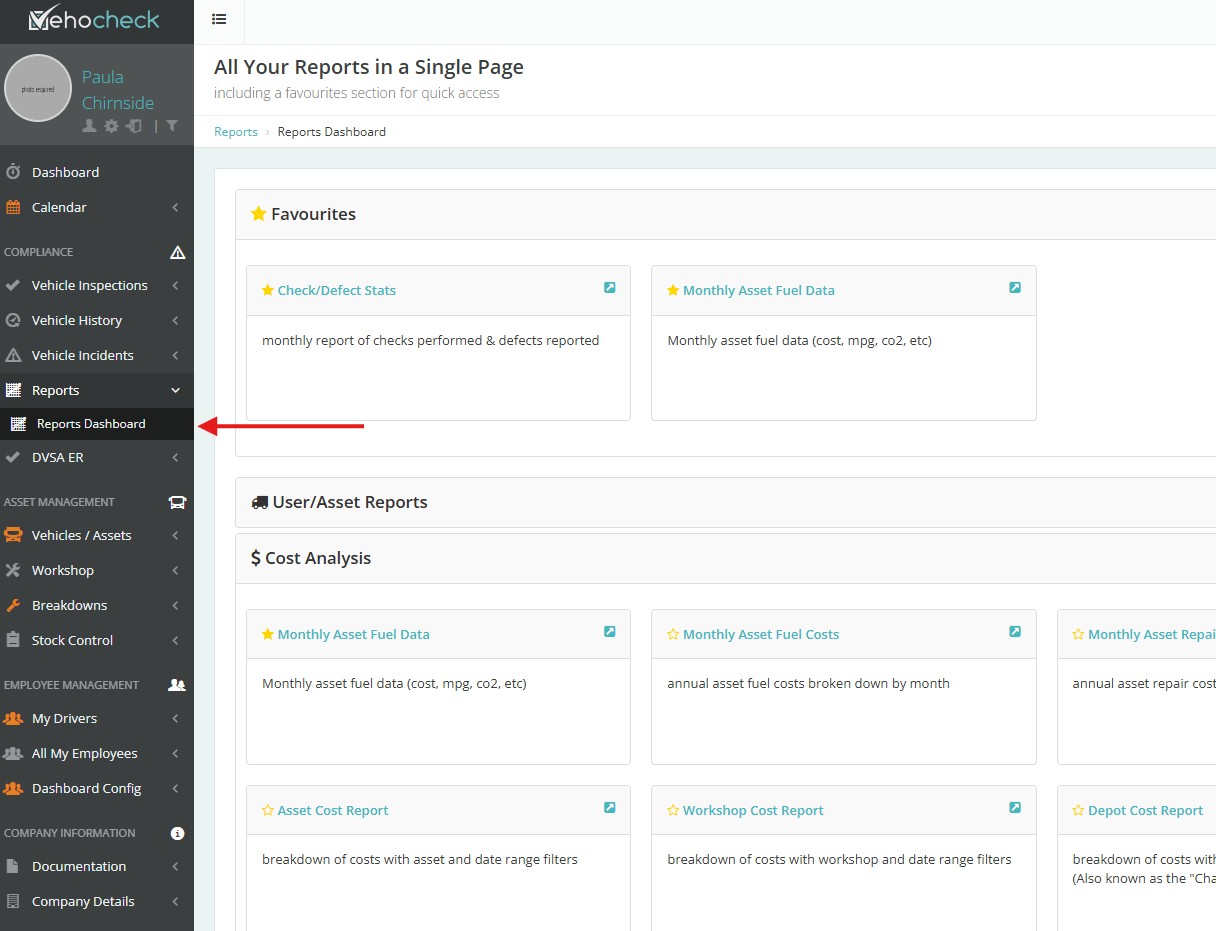
Reports available to show you Monthly Asset Fuel Data & Monthly Asset Fuel Costs
Reports >Reports Dashboard >Cost Analysis
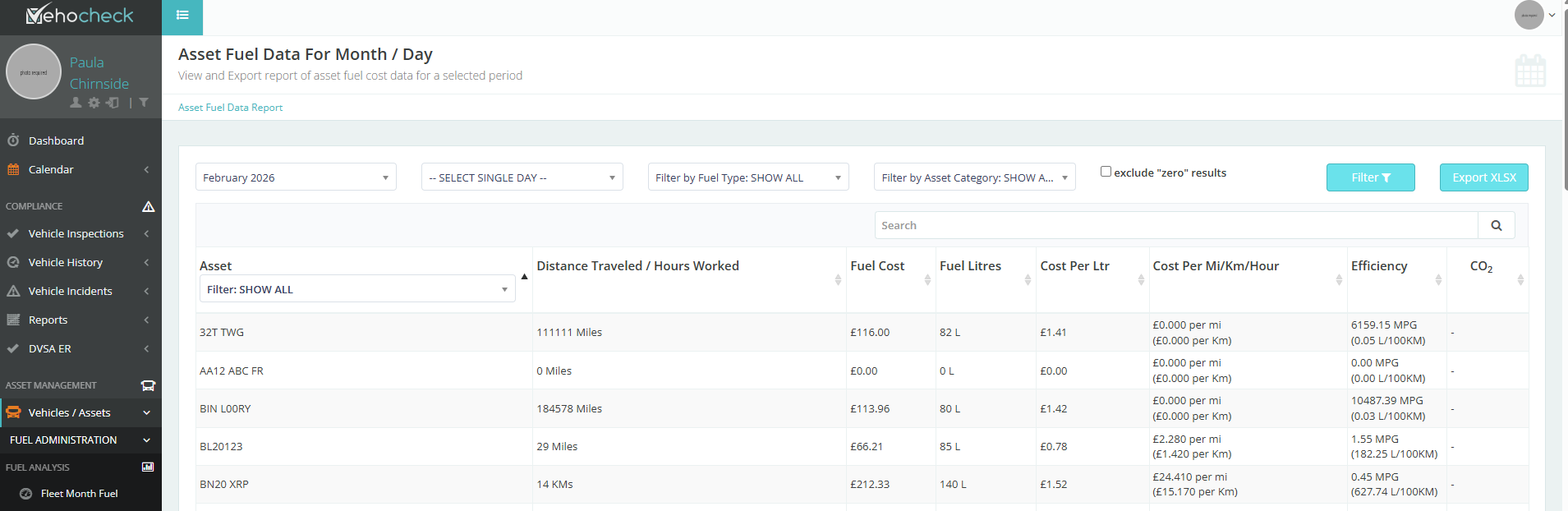
Monthly Asset Fuel Data
Asset Fuel Data For Month/Day
You can filter by Month>Date>Fuel Type>Category >Individual Asset
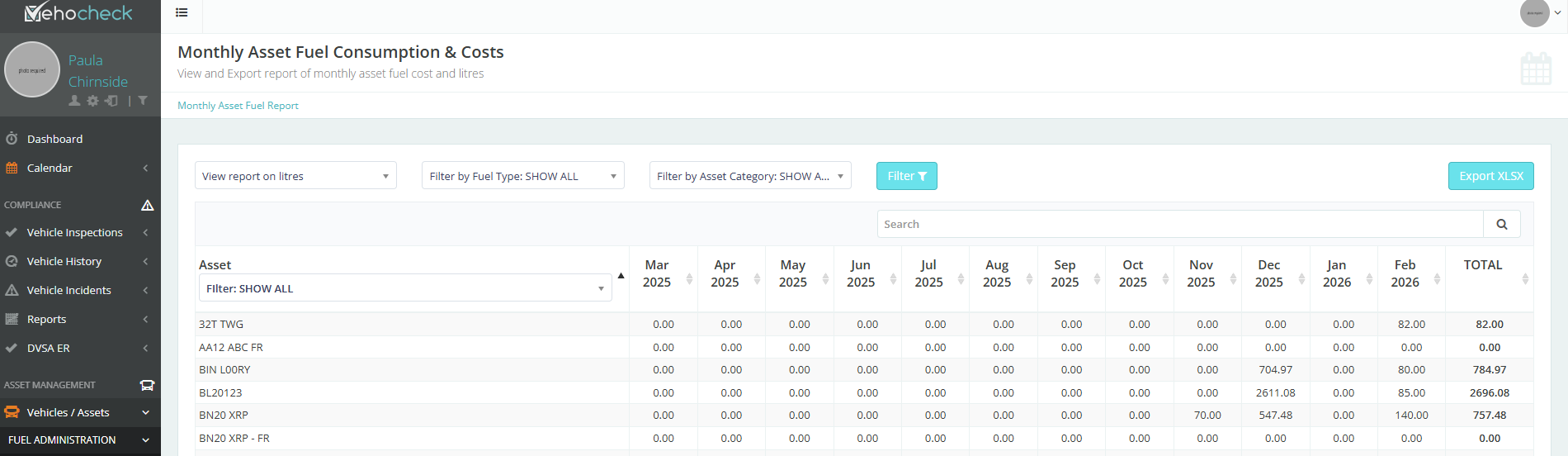
Monthly Asset Fuel Consumption & Costs
Here you can view the Assets Fuel cost per month and total for year
Was this article helpful?
That’s Great!
Thank you for your feedback
Sorry! We couldn't be helpful
Thank you for your feedback
Feedback sent
We appreciate your effort and will try to fix the article