Tyre data can be added to vehicle history in a number of ways, via PMI's, Job cards or by adding the data via the tyre and wheel section of the workshop. This information can be invaluable for monitoring tyre ages, tread depth, wheel torques etc.
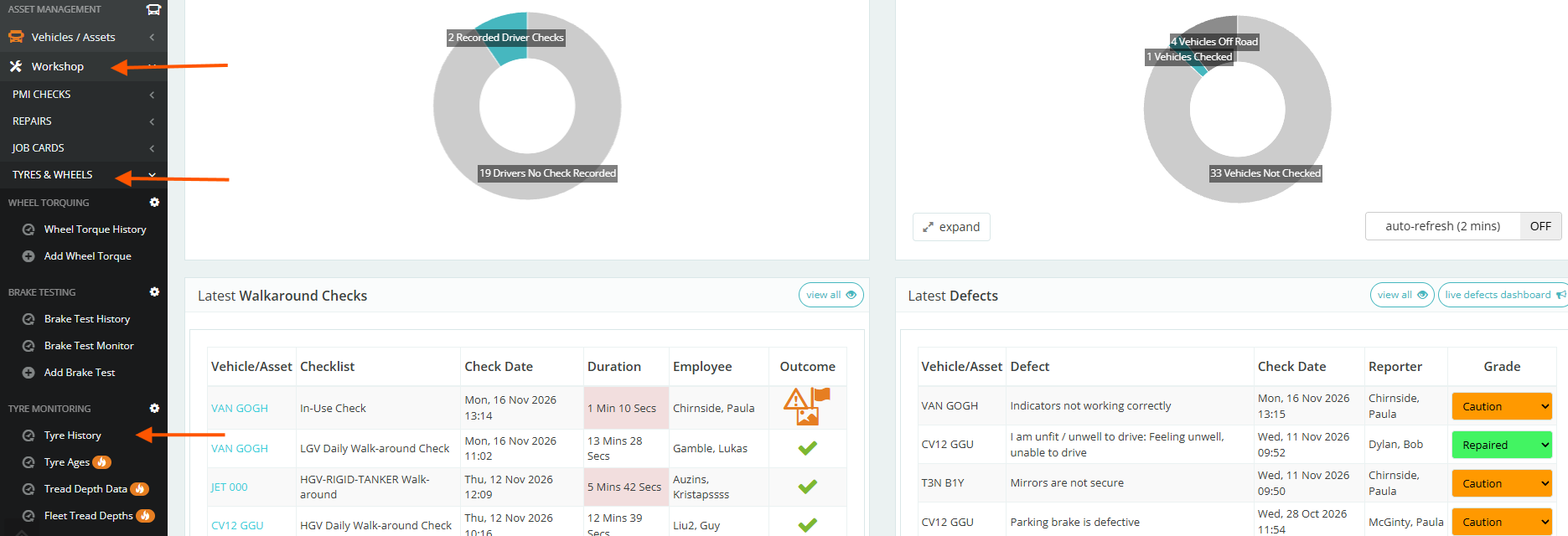
To manage your tyre ages go to Workshop >Tyres and Wheels.
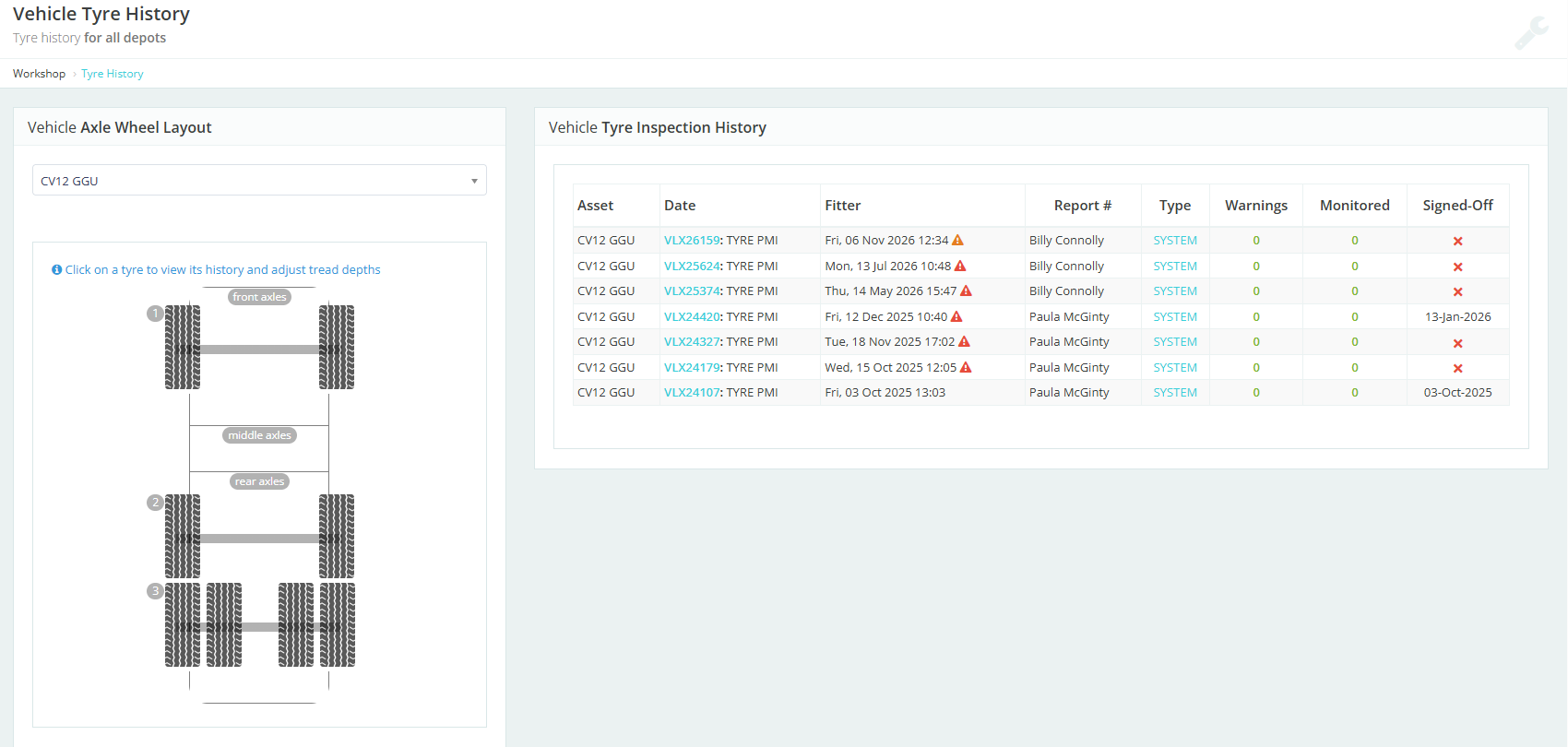
Select the asset from the dropdown. Any previous data will be displayed and new tyre data can be added by clicking on the tyre you want to add information to in the axel layout.
Click on any tyre to see the history
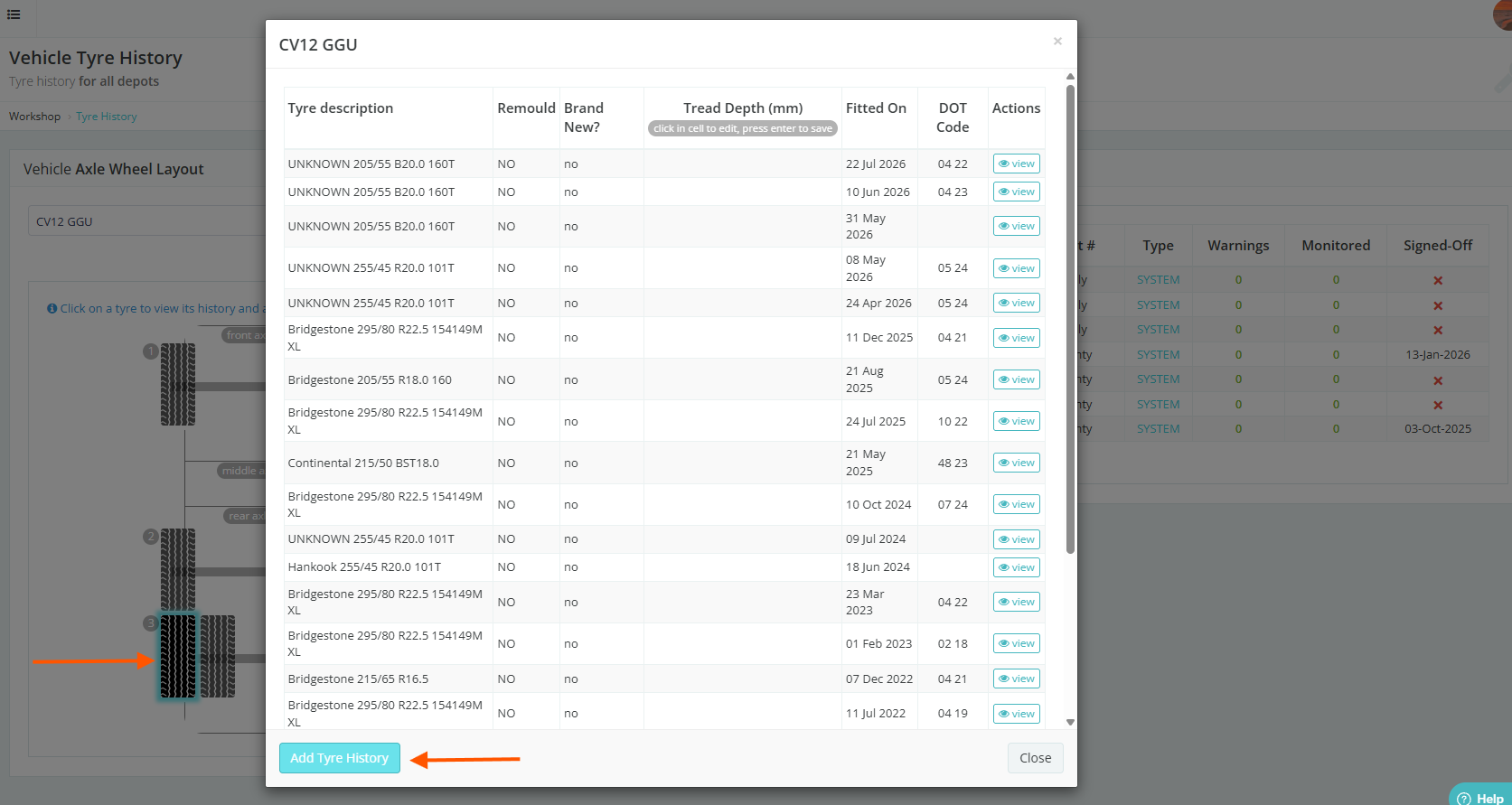
Click the Add Tyre History button to enter details.
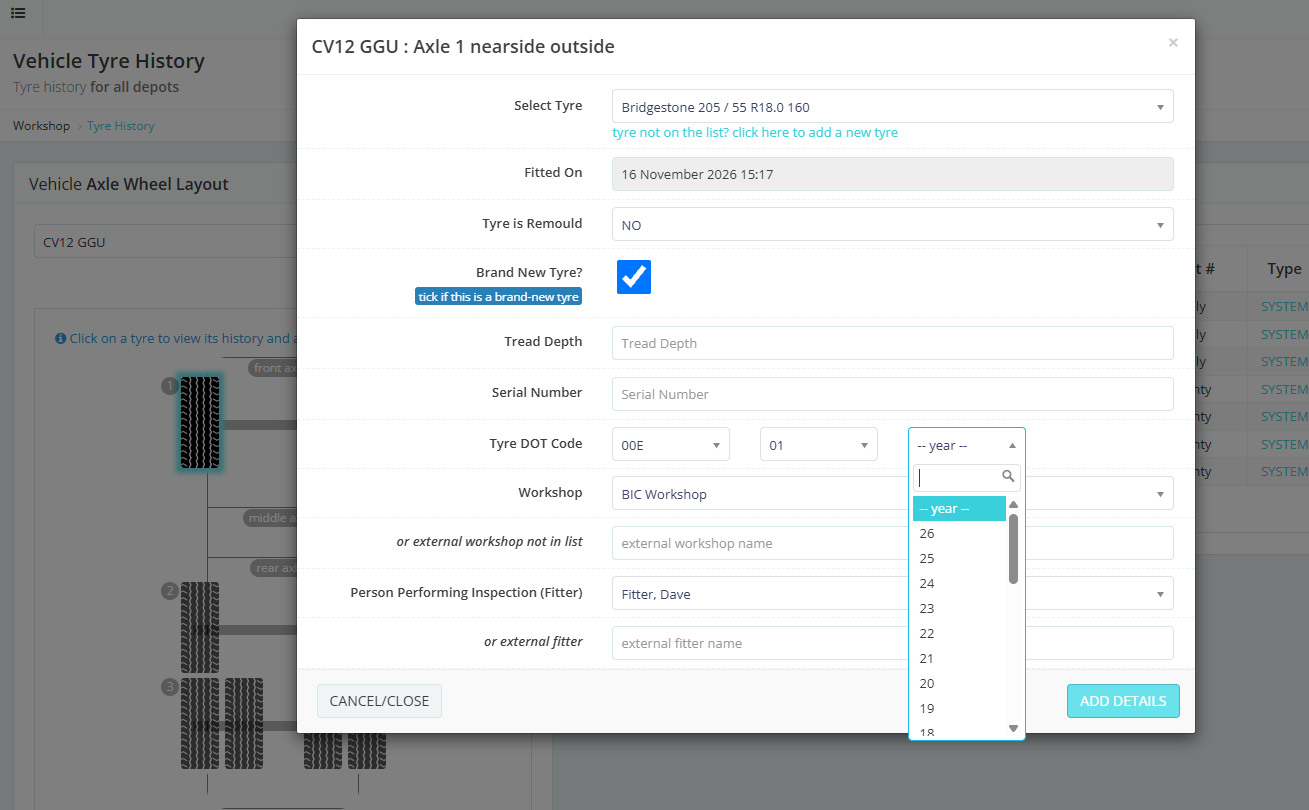
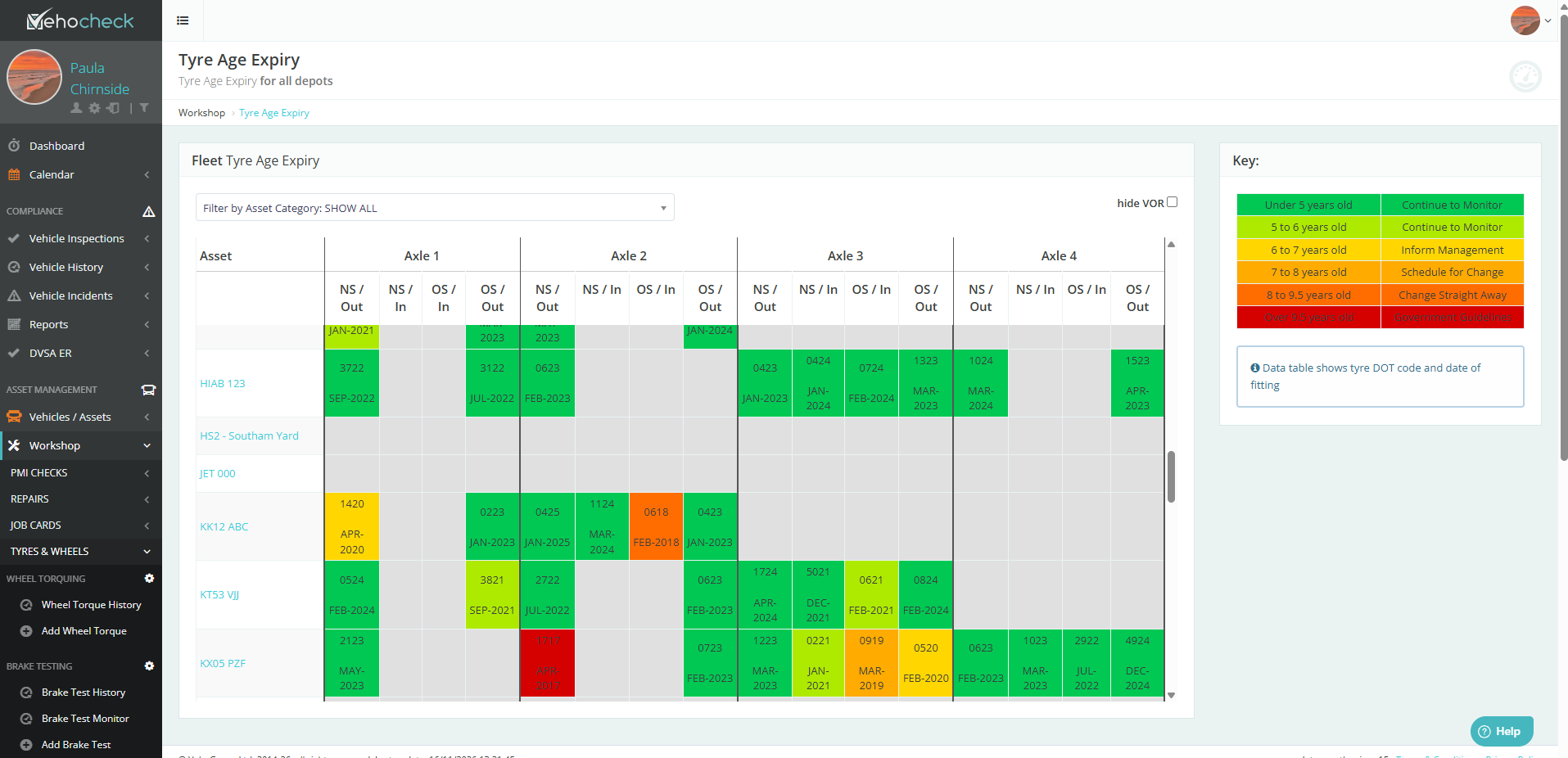
Tyre Age History
The Data tables shows the Tyre DOT code and the Date of Fitting
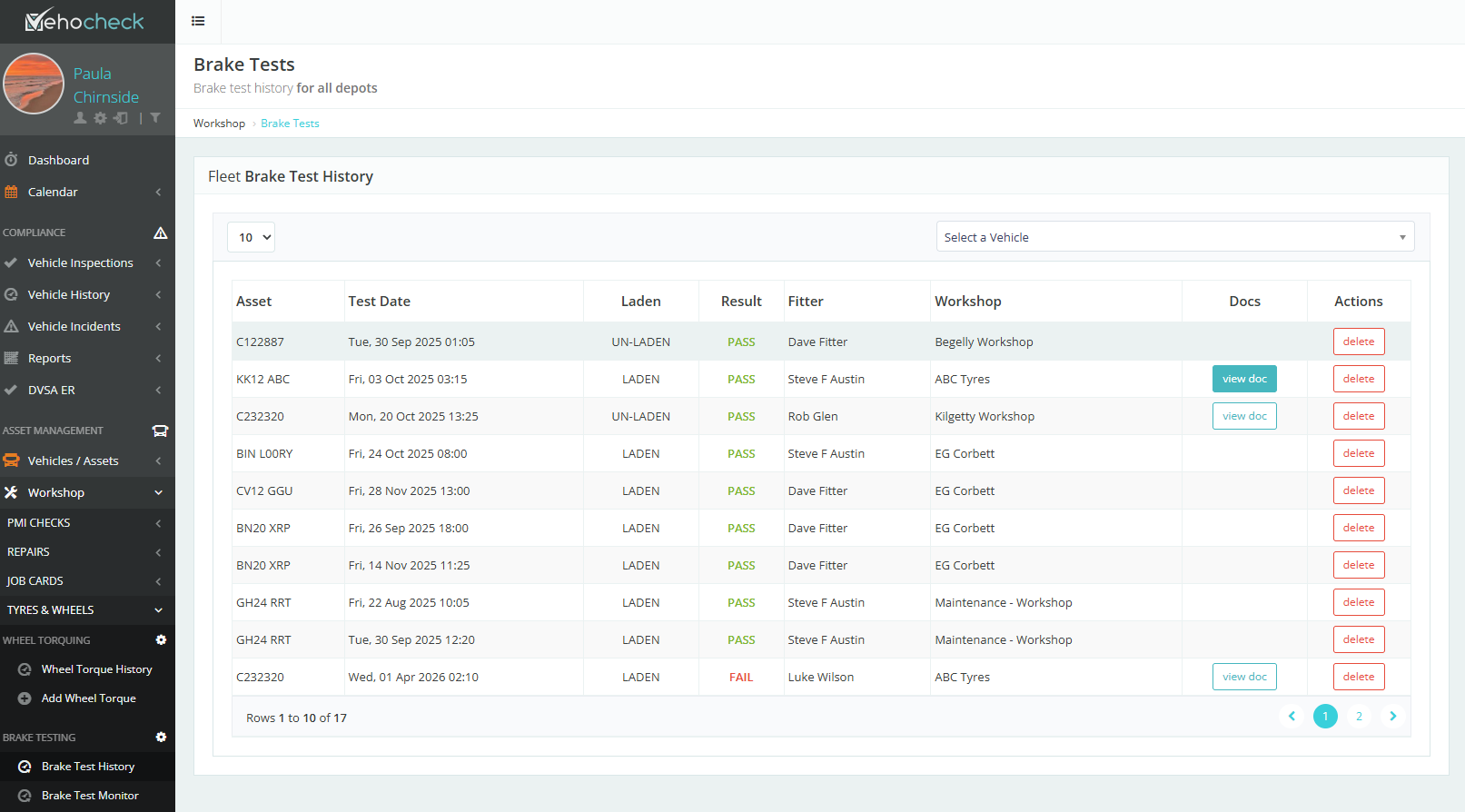
Brake Test History
This report will show you if the asset was Laden or Un-Laden, Pass or Fail, You can also view any documentation that has been uploaded
Tyre Tread Depth Monitoring
Here you can monitor your tyres by using the Key
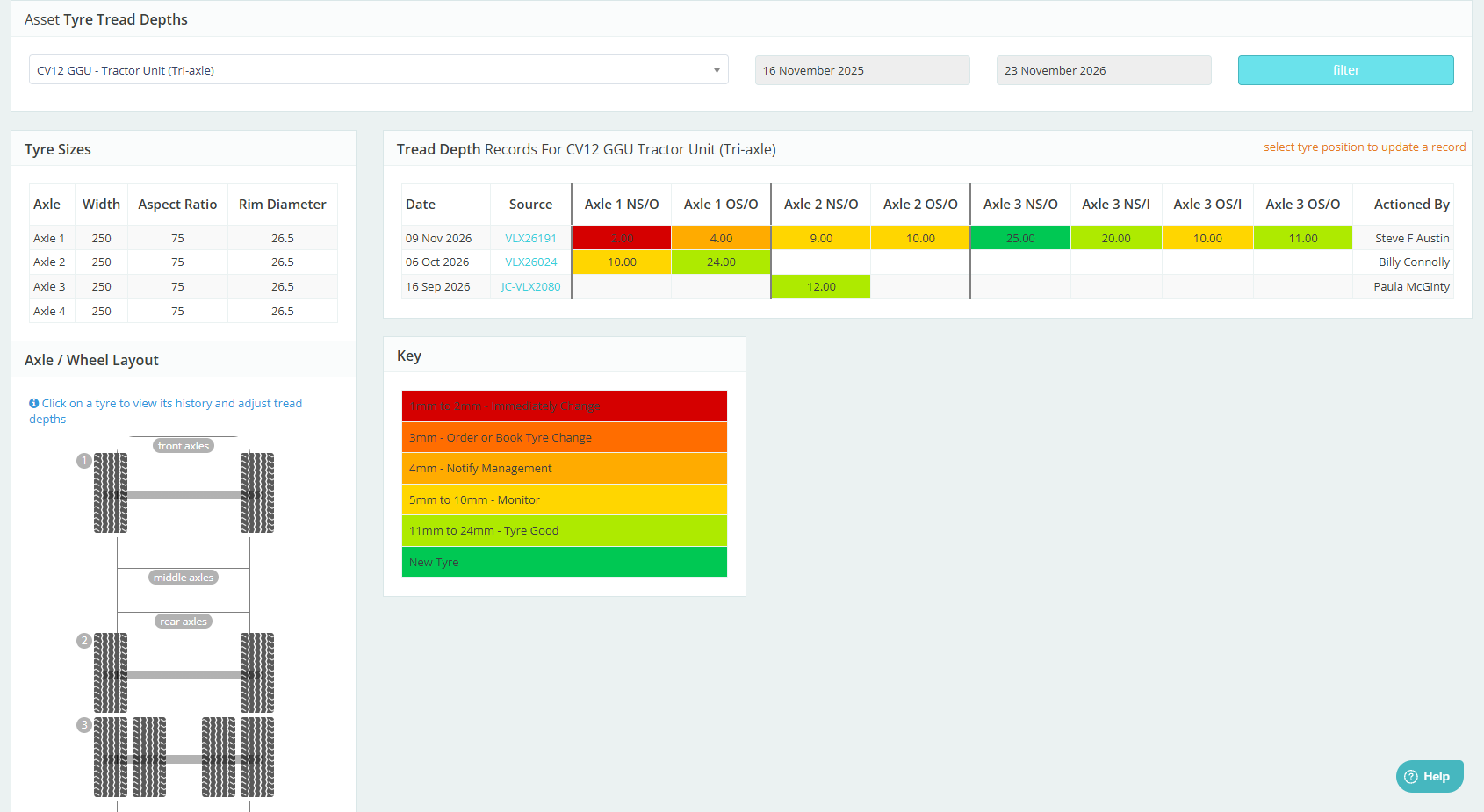
Tyre Sizes
Choose your asset from the drop down
This will show you the tyre sizes for each Axle

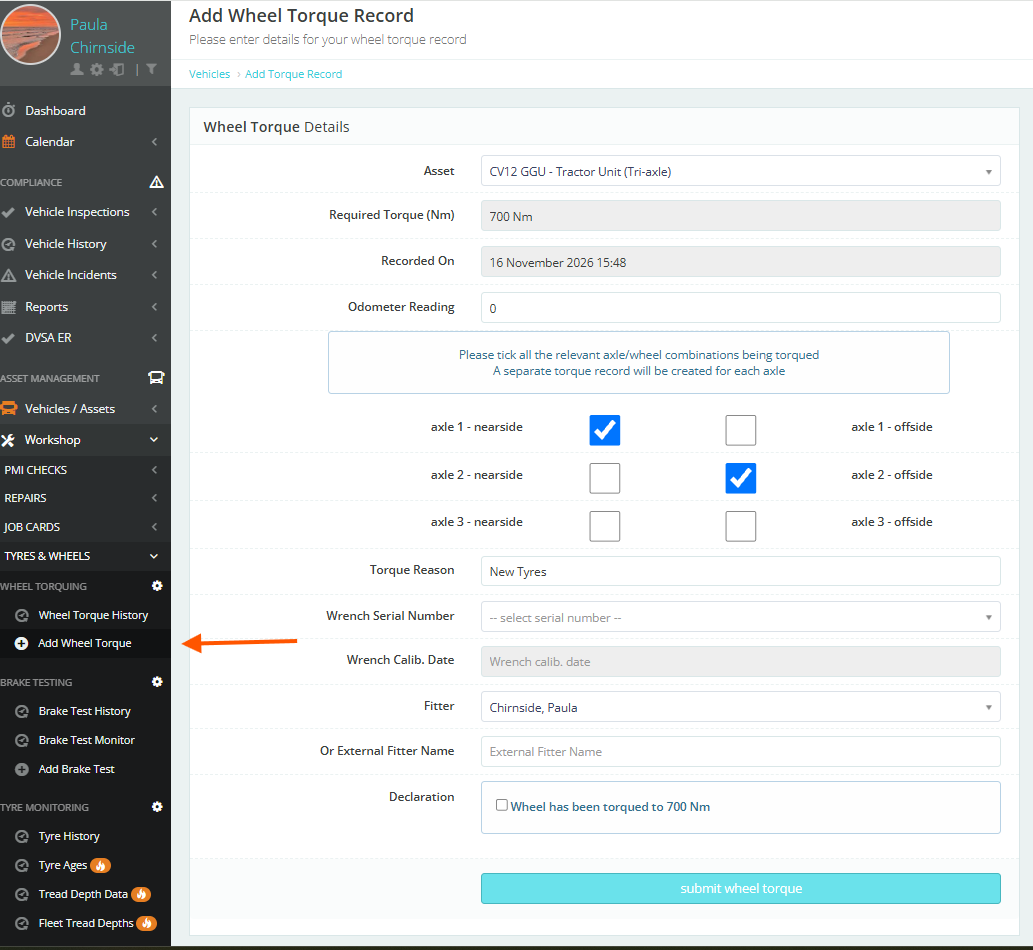
Wheel Torque
You can see the Wheel Torque History or Add a Wheel Torque Record
Was this article helpful?
That’s Great!
Thank you for your feedback
Sorry! We couldn't be helpful
Thank you for your feedback
Feedback sent
We appreciate your effort and will try to fix the article