The Vehocheck Calendar comes pre populated with all event types but can be edited to suit your needs.
You will find this list under the Calendar

To Edit your Events go to Event Type Configurator
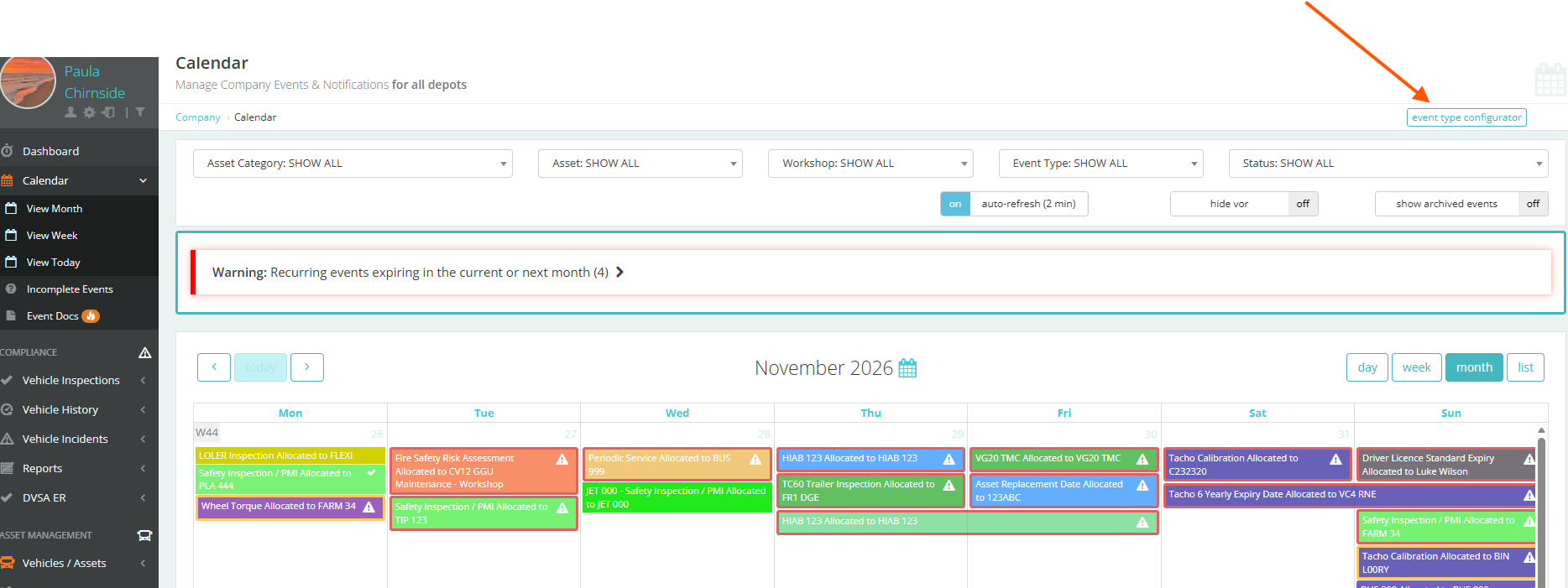
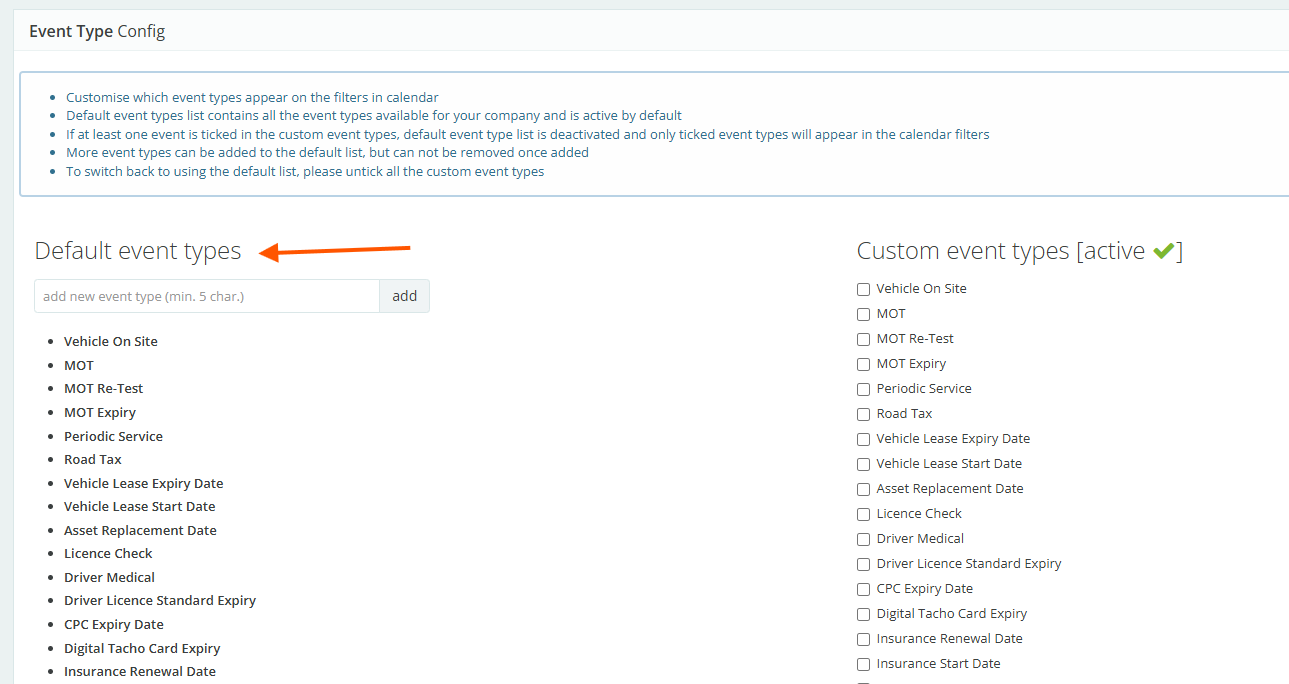
Once you have clicked the button you will see the Default events types and the Custom event types.
If there is an event that you would like to schedule that is not listed you can create bespoke events by typing in the box (below the default event type heading).
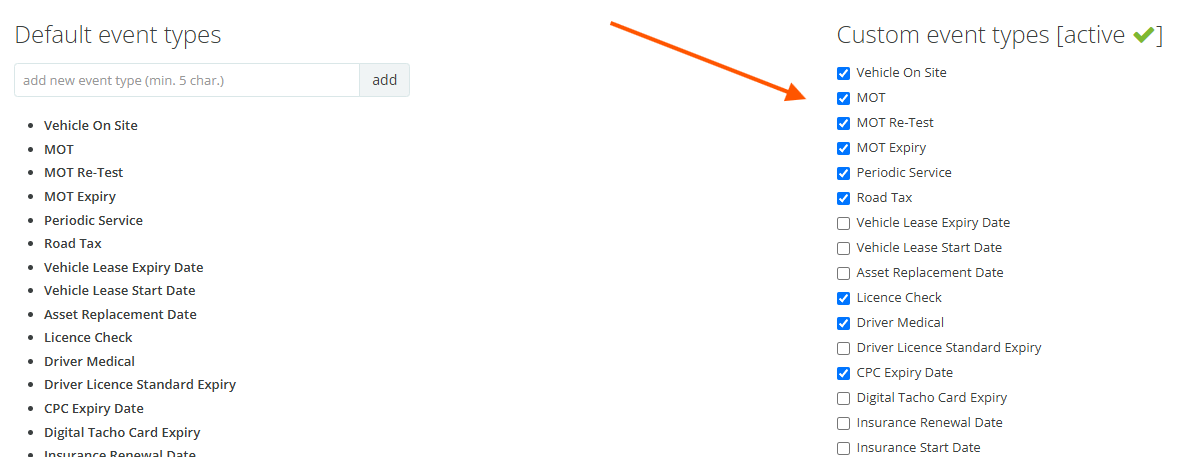
You can choose which events you would like to have in your calendar, by ticking the boxes in the Custom Event Types
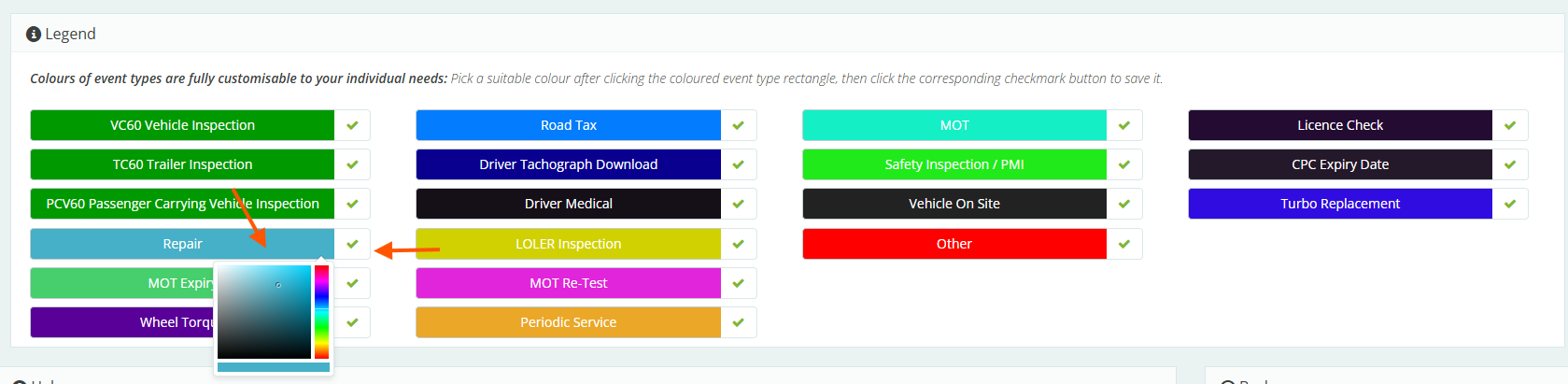
Once you have created your event types you can change the colour of the events. Click on an individual event and a box will appear that you can use to change the colour, use the Tick box to set the colour.
Was this article helpful?
That’s Great!
Thank you for your feedback
Sorry! We couldn't be helpful
Thank you for your feedback
Feedback sent
We appreciate your effort and will try to fix the article