If you have updated or added any information for your drivers e.g. Updated Checklists or added policy's etc
The drivers will need to sync their phones to receive the updated information
You can send the drivers a message asking them to sync their phones or Force Sync may be activated from the dashboard. When Force Sync is used, your devices will automatically receive the latest updates
To Force Sync, go to:
Company Details > Configuration > Set Preferences
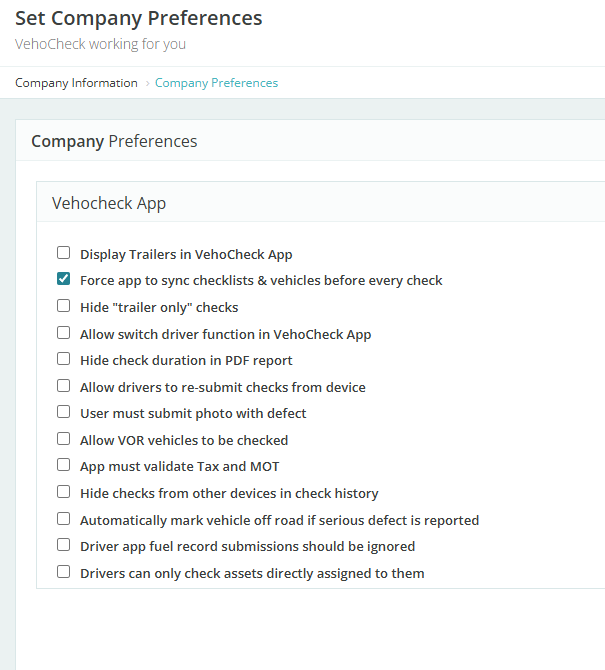
Make sure you update company preferences (bottom of the page)
We don't advise you to keep the Force Sync on for too long as it will slow the app down a little when the driver does each check, searching the cloud for updates.
Was this article helpful?
That’s Great!
Thank you for your feedback
Sorry! We couldn't be helpful
Thank you for your feedback
Feedback sent
We appreciate your effort and will try to fix the article