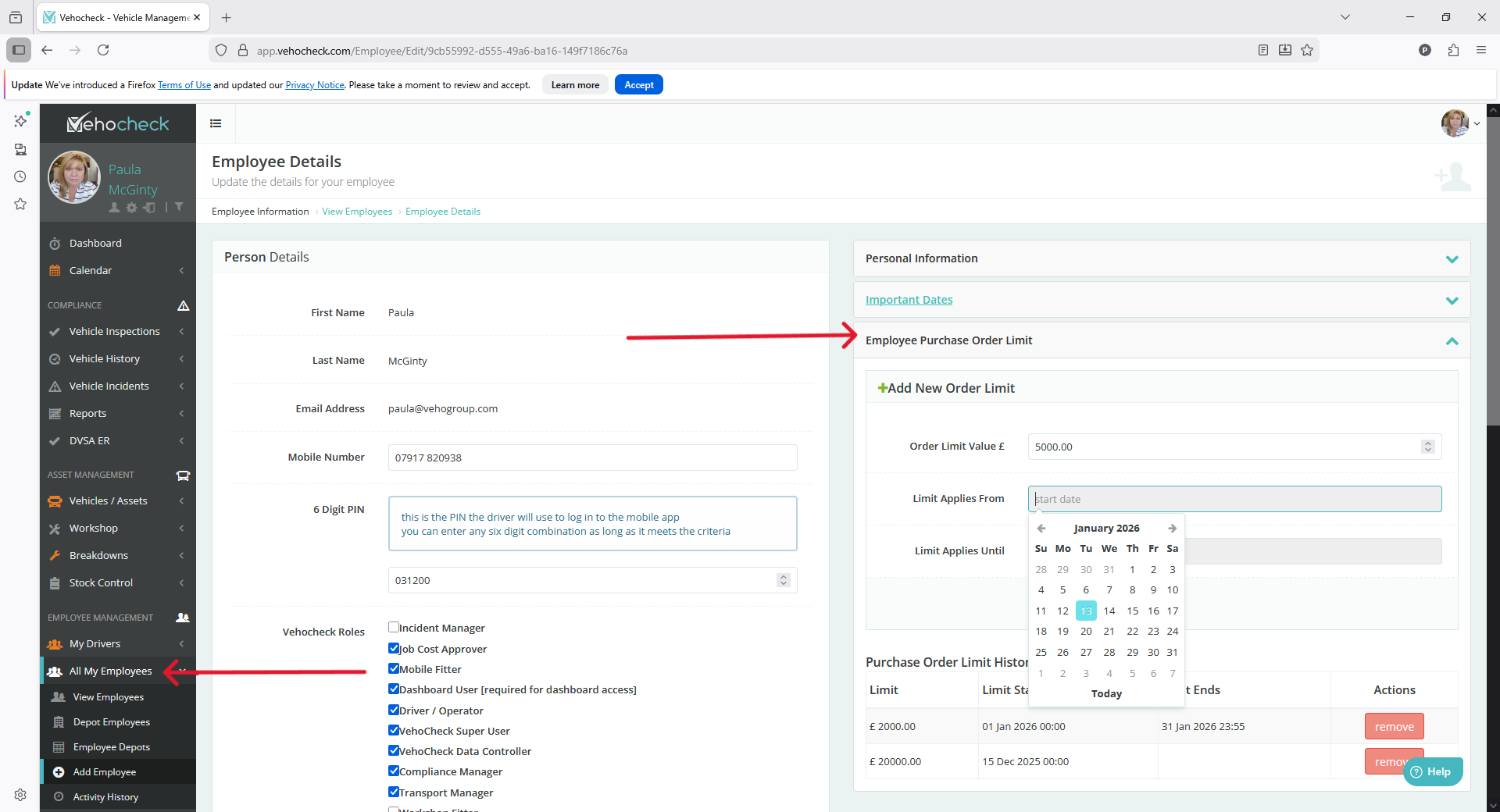
Purchase Orders can be created for Job Cards with monetary limits set for individuals. This can be done by editing a user in All My Employees > Employee Purchase Order Limit > set amount and date parameters if they apply.
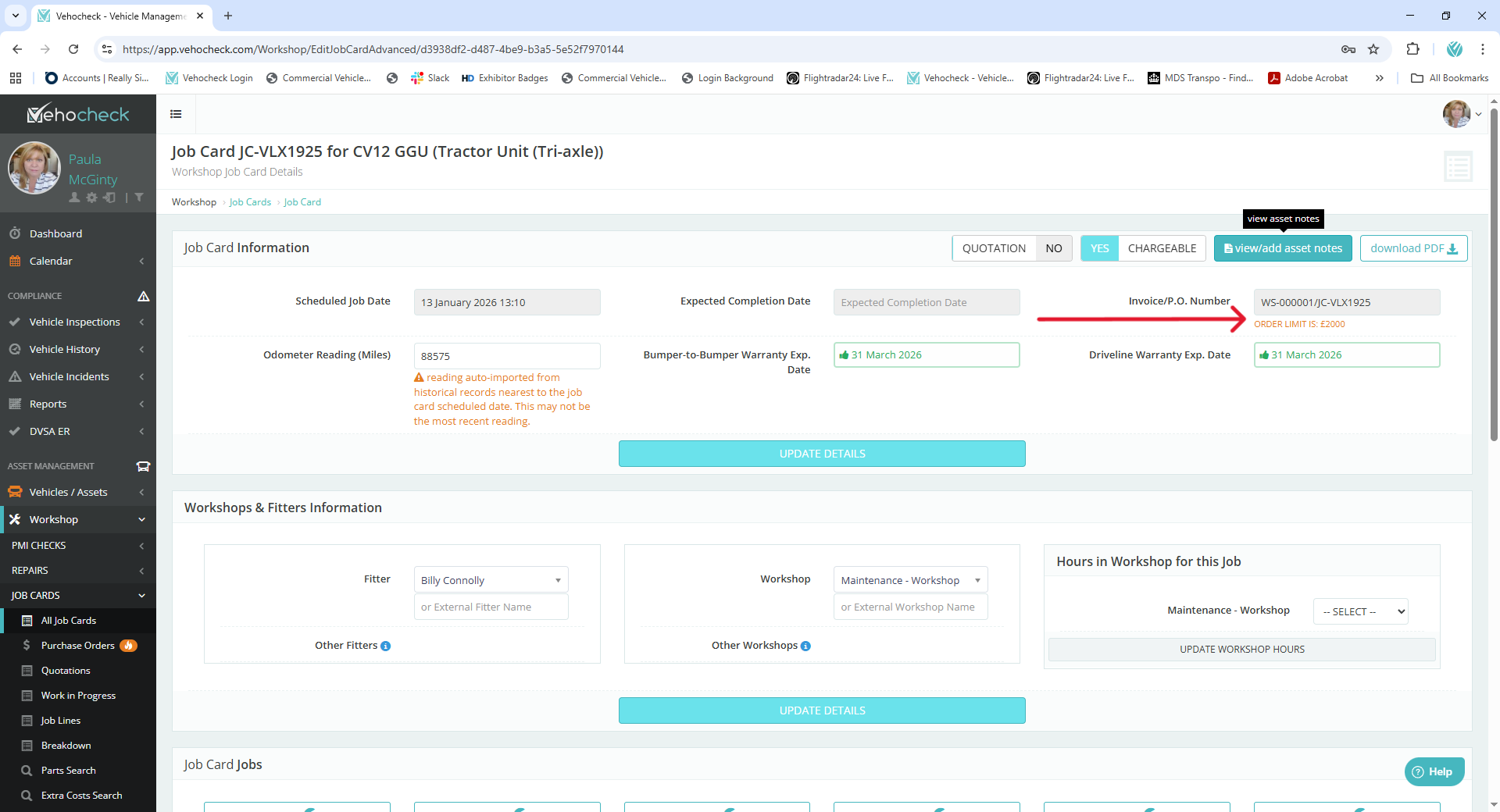
In the Workshop create a Job Card. Add any relevant information such as job dates, odometer readings etc. Generate a PO number. This will show the value of the PO that the individual can spend on the job card.
If the total of parts and labour is greater than the value that the individual is authorised for then the job will need further approval.
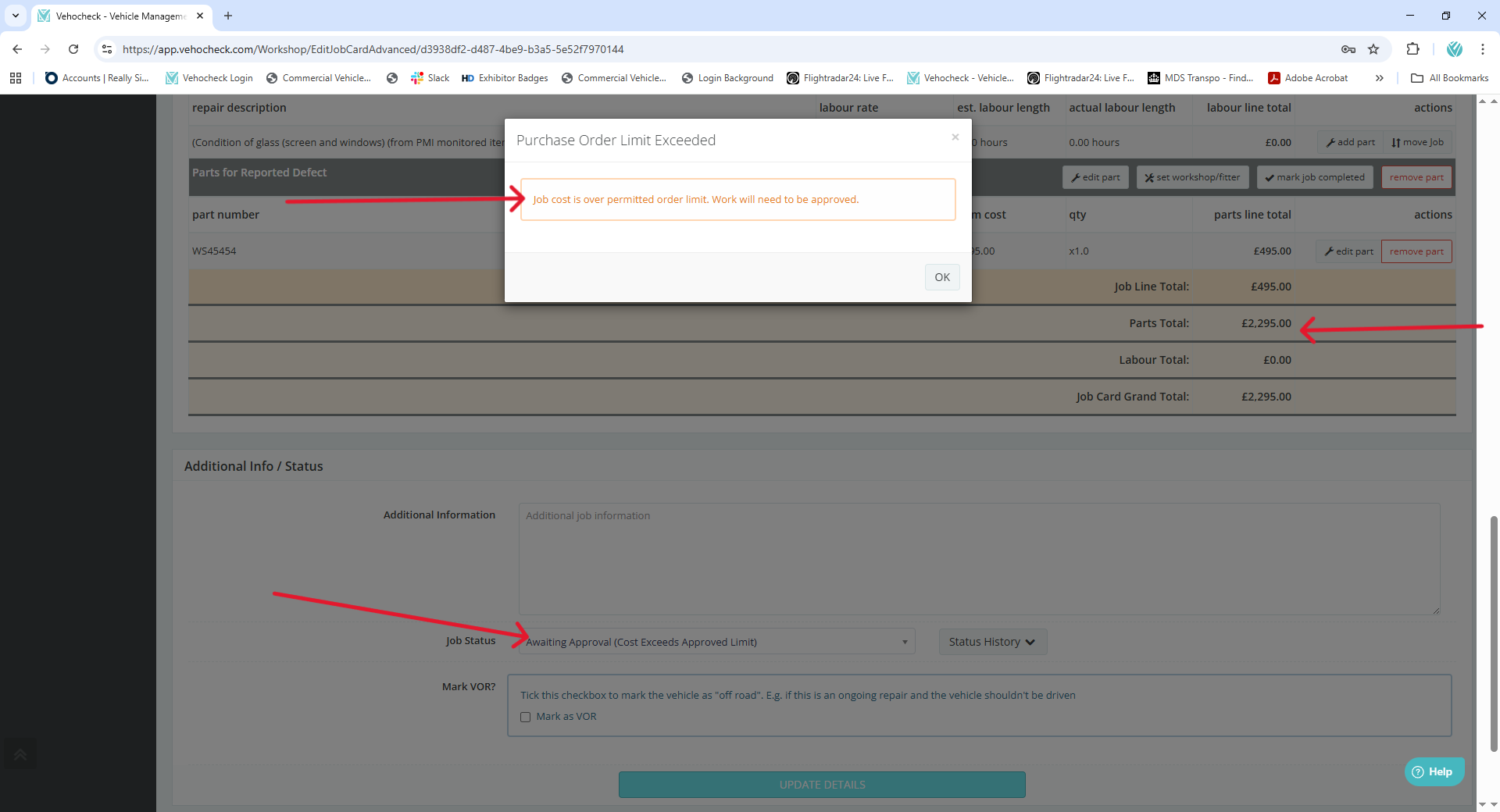
The Awaiting Approval (cost Exceeds Approval Message) will show in the job log and can be approved or declined by personnel with a higher approval threshold.
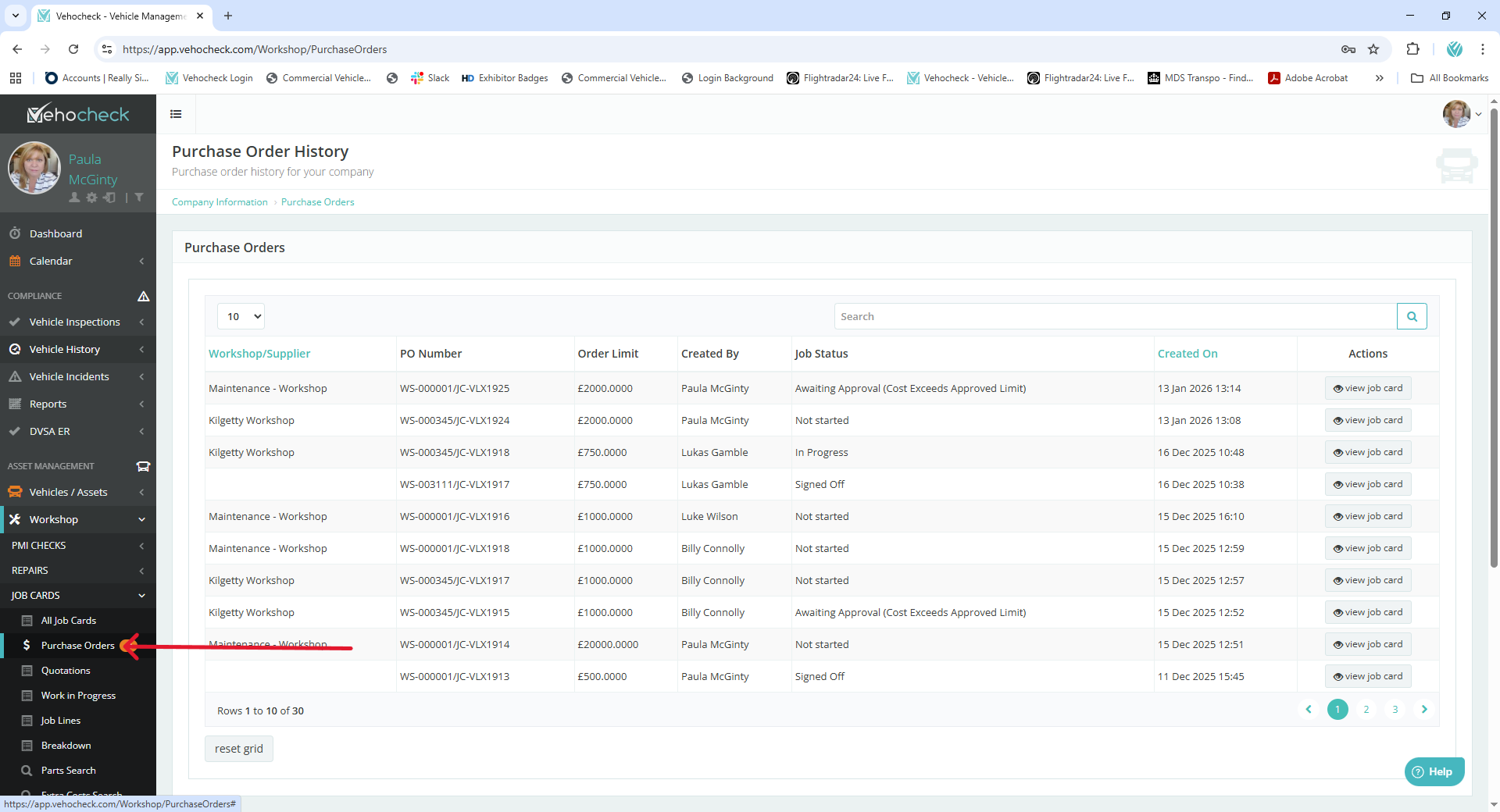
A PO Log will show purchase orders that have been created.
Was this article helpful?
That’s Great!
Thank you for your feedback
Sorry! We couldn't be helpful
Thank you for your feedback
Feedback sent
We appreciate your effort and will try to fix the article